Familiar development flow
Preserves forms, controls, events, and layout thinking so developers can reuse the WinForms mental model instead of starting from a lower-level graphics stack.
Cross-platform GUI · WinForms over LVGL · NativeAOT Ready
LVGLSharp uses LVGL as the rendering core while exposing a .NET-friendly, WinForms-style development model. The goal is to bridge desktop productivity with Windows, Linux, and device-oriented runtime environments, while continuing to improve NativeAOT, lightweight deployment, and host portability.
It connects familiar desktop development productivity with lightweight runtime capabilities for broader display hosts and deployment models.
Preserves forms, controls, events, and layout thinking so developers can reuse the WinForms mental model instead of starting from a lower-level graphics stack.
Builds on LVGL for lightweight, high-performance, and device-adaptive rendering across broader platform and host combinations.
Moves toward NativeAOT, self-contained publishing, and device-friendly packaging with lower runtime overhead.
If you want to evaluate the project quickly, these are the best places to start.
Jump into the right reading path by topic, audience, and language.
Use this if you want the shortest path to the most important progress from the latest round.
Understand the build, packaging, publishing, and automation structure.
Start here if your main interest is Linux graphics hosts and development workflow.
Choose a path based on your interest instead of browsing everything manually.
Start here if you want to understand why the project exists and what it is trying to achieve.
Start here if you care about module boundaries, runtime layering, and repository organization.
Start here if you care about X11, WSLg, FrameBuffer, Wayland, and future display-host paths.
Start here if you care about trimming, self-contained deployments, runtime size, and publishing shape.
The project value is not only about drawing UI, but about the runtime structure and engineering model behind it.
Keeps the traditional WinForms programming style, including lifecycle, control tree, events, and layout organization.
Organizes capabilities across Core, Interop, Runtime.Windows, and Runtime.Linux so rendering and hosting stay decoupled.
Opens a realistic path for x64, ARM, and ARM64 device-side UI scenarios in the .NET ecosystem.
This project is not only a concept exploration. It is being shaped against real UI scenarios, real runtime hosts, and real publishing paths.
Windows and Linux hosts are used to continuously validate lifecycle behavior, control models, and cross-platform runtime consistency.
The runtime roadmap keeps expanding around FrameBuffer, Wayland, SDL, DRM/KMS, and other device-side host strategies.
Examples such as MusicDemo, SmartWatchDemo, PictureBoxDemo, and WinFormsDemo help anchor the project in practical usage.
If you want to get a fast feel for the project, this is the shortest useful path.
If you only read three pieces first, use this shortlist.
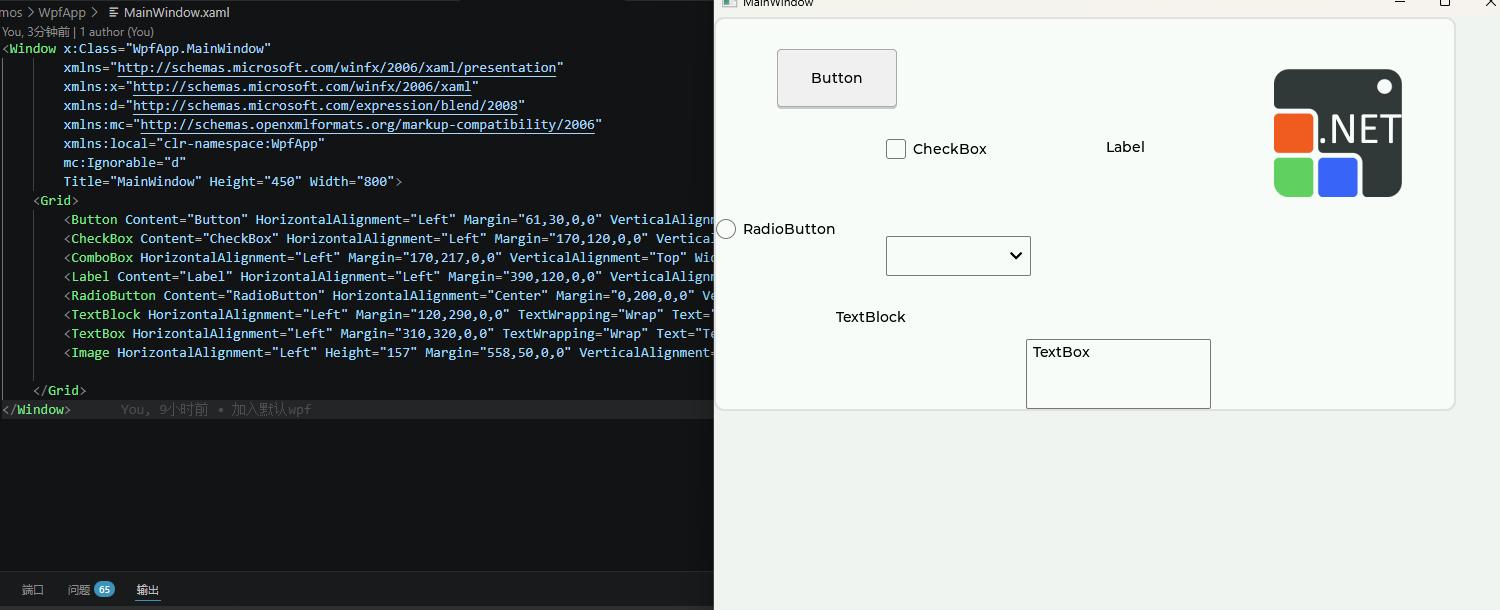
LVGLSharp.WPF is now part of the package line and can already be used to validate the basic controls path and XAML runtime-loading flow. The screenshot below comes from the real src/Demos/WpfApp demo.